
Get the App
Actual Vote is free, on iOS and Android. Install it before election week.
Download Actual Vote
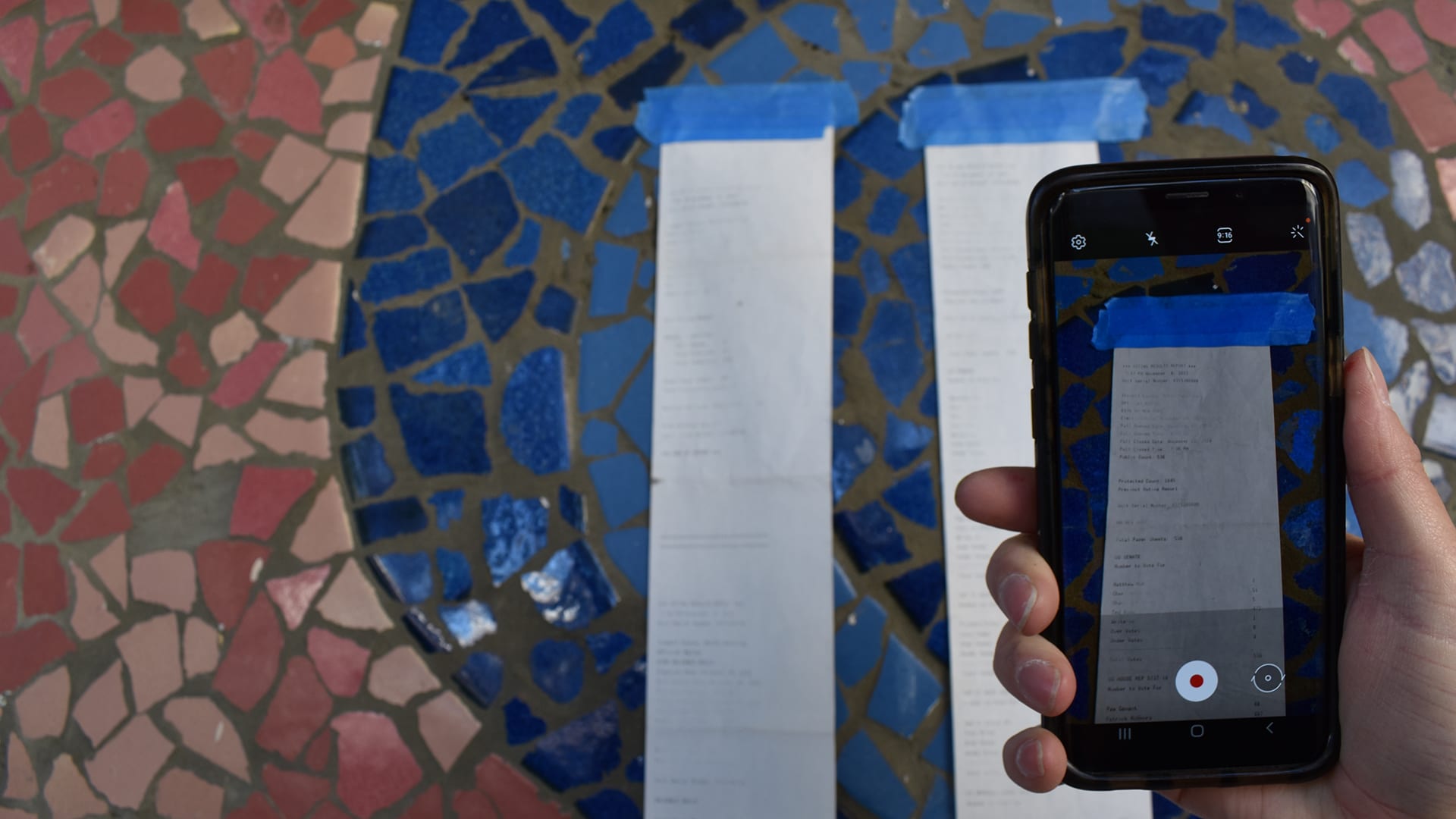
Actual Vote is a free smartphone app published by America Counts. You use it to video-record the paper poll tapes posted at polling places after polls close. Your videos are uploaded to our public archive for verification against the officially reported results.
The app is free on both stores. No fee, no advertising, no data sold or shared with marketers. And it stays free all the way through: America Counts does the backend work — vetting, transcription, and the comparison analyses behind every audit — at no charge to you. Nobody pays to take part, and nobody pays to see the results.
It runs on iPhones, iPads, and Android phones and tablets. Practically speaking, any iPhone on iOS 15 or later, or any Android device on 8.0 or later, will work — that covers most phones sold since roughly 2017. See device requirements below for the details.


Search "Actual Vote" in either store if the buttons above don't work on your device.
Important
If you can, install the app early!
If you install Actual Vote early, you'll have a chance to make sure it works on your device, and get help if you need it. We wouldn't want you to take the time to travel to a polling place on election night only to find that your device is too old to run the app, for example.
A Google account is required to log onto the app. If you don't have one yet, installing early will give you time to make one.
After you install the app, open it up and follow the prompts. When you're done, take a practice recording of our practice poll tape, or of anything else, so that you can get familiar with the process. Make sure that it uploads correctly (you will get a prompt that says so). If you want to view your practice recording on our poll tape video website, go to av.democracycounts.org and log in with the Google account you used for the app. You can also browse poll tape videos taken by other Actual Vote users!
Feel free to contact us if you have any questions or want help making your plan to video-record poll tapes in the next election. And if you're curious how the whole process works, check out our Start Here section.
If you can't install or update the app, the fallback method below works reliably.
Device requirements
Actual Vote runs on iOS 15 or later (iPhone or iPad) and Android 8.0 (Oreo) or later, which is API level 26. In round terms, that's most phones sold from about 2017 onward. We can't support older operating systems — as a small organization, we have to focus our limited engineering time on the versions the large majority of people are already running. If your device is older than that, the camera fallback below still works.
The hardware bar is low: all you really need is a working camera. Any modern smartphone camera is sufficient for legible poll-tape recordings — the limiting factor is usually technique (holding the phone steady, panning at the right speed) rather than the lens.
How much storage you'll need
The app itself is small — roughly a 25 MB download on iPhone or iPad (about 70 MB once installed) and about 22 MB on Android. Your recordings take up more room than the app does.
Each recording is a short video, so the storage footprint is modest. As a rough guide, a single poll-tape recording is around 20 MB — so a handful of recordings is a couple hundred megabytes, and even 100 recordings is only about 3 GB. The exact size depends on how long the tape is (longer tapes mean longer videos) and on keeping the footage readable. Record at the quality you need to make the numbers legible, but no longer than necessary — there's no benefit to oversized files, and they take longer to upload.
Permissions the app requests
When you first open the app, it will request device permissions. Each serves a specific purpose in the evidentiary chain:
- Camera and microphone — required. This is how the recording is made. The recording is a normal video file; audio provides an ambient record of the environment.
- Location services — strongly recommended. GPS coordinates captured at the moment of recording link the recording to a specific polling place with machine-verifiable data. Recording works without it, but the recording will lack GPS metadata.
The full permissions reference is in the technical manual.
No app? Your camera works.
If you can't install or use the app — because of an app store rejection, a device incompatibility, or any other reason — you can record poll tapes with your phone's native camera app and send the videos to America Counts directly by emailing info@democracycounts.org and making arrangements. Methods like direct email, Google Drive, and Dropbox work well.
Just send the raw videos if that's all you have time for. If you have more time, telling us the polling place, precinct number, and date is helpful, but don't let that keep you from sending the videos.
Recordings made this way are just as useful for vote report auditing as recordings made by the app. The disadvantage is that without the automatic upload functionality, it can be cumbersome to share many large video files directly. But we've gotten many files this way in the past without too much trouble, enabling us to still reap election transparency benefits even in a situation where the app couldn't be used.
Know what you're signing up for
Four short documents describe your relationship with Actual Vote. Each covers something the others don't, and you'll be asked to review them when you create an account. They're worth a few minutes before election week.
- User Agreement — the formal agreement you accept when you create an account: your status as a volunteer, what happens to your recordings, and what we can and can't guarantee.
- Privacy Policy — how we collect, use, and protect your information, and what becomes public when a recording is approved.
- Health, Safety, and Practicality Statement — staying safe in the field, handling encounters with bystanders and officials, and the practical limits of the methodology.
- Using Actual Vote — a plain-language guide and tutorial you can read or consult at any time. This one isn't part of the agreement; it's here to help.
Changed your mind later? You can delete your Actual Vote account and data at any time, for any reason.
App installed?
The Start Here guide walks you through how Actual Vote works, how to make your recording plan, and what happens after you record.